
Announcing New Articulate Features and Updates: Q2 2026
Explore the latest Articulate 360 feature updates, including Skip-Ahead Quizzes, AI Tutor, and editing AI images.


Announcing New Articulate Features: Q2 2026
Articulate takes product innovation and customer feedback seriously. Every quarter, we release new Articulate 360 features to help organizations create better workplace training. Our latest updates are designed to solve common training challenges and make course creation and localization more efficient.
This batch of releases will help customers:
- Skip multiple course builds and create one training that works for both new and experienced learners.
- Fix layout issues caused by translated text in just a few clicks.
- Refine AI-generated images without interrupting your workflow.
New to Articulate 360? Join a demo to see how it works, or start a free trial to explore the tools yourself—no credit card required.
New Rise features
Rise is Articulate’s web-based course authoring app that combines intuitive, block-driven design with powerful AI features. It’s easy to create responsive, mobile-friendly training in Rise.
Create more personalized training with less effort
This quarter’s updates help you personalize learning experiences while making it easier to create and maintain courses. Read on for what’s new in Rise.
Undo and Redo
Experiment with confidence knowing you can quickly reverse or restore changes as you build.
Undo and Redo buttons make it easy to recover from accidental edits at a course or lesson level.
Skip-Ahead Quizzes
Why make learners sit through training for skills they’ve already mastered?
Skip-Ahead Quizzes let you create a pre-test. Learners take the assessment and prove their knowledge before starting the content. Passing scores jump past the lesson, and Rise automatically marks the content complete.
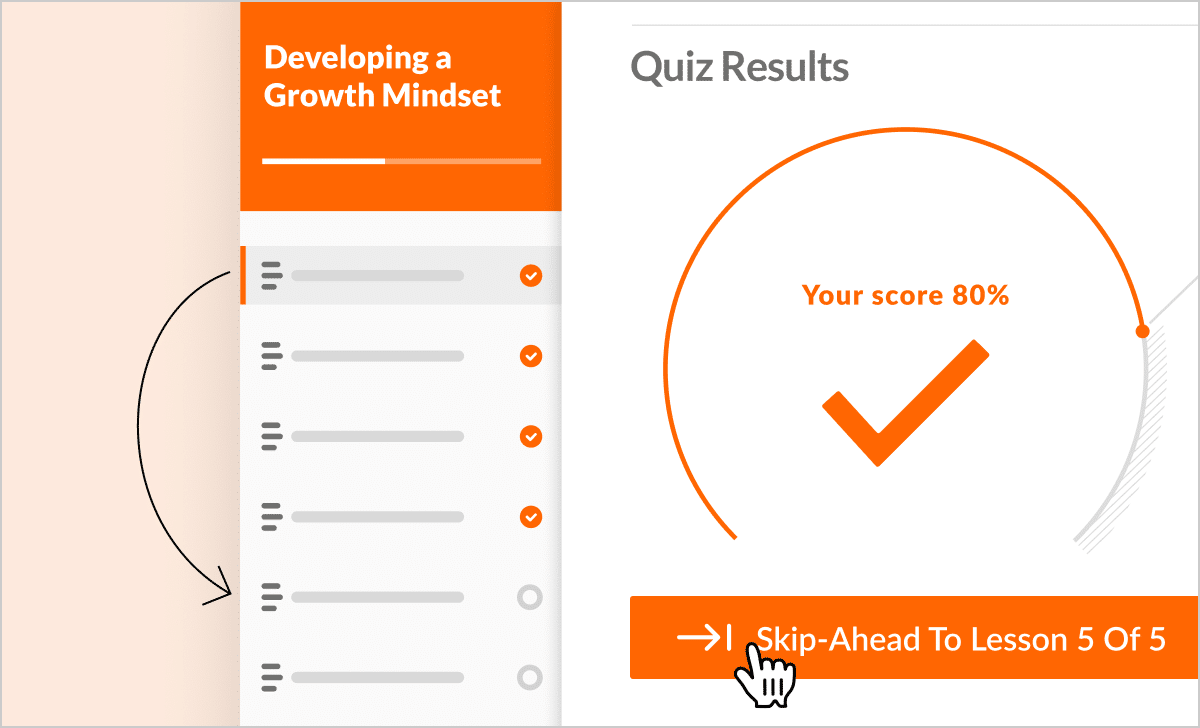
Now you can create a single course with pre-tests rather than separate beginner and advanced courses. It’s easy to deliver a single experience that adapts to each learner’s skill set.
Read this article to learn more.
AI Tutor
Some learners need a little guidance on their learning path. We’re thrilled to bring AI Tutor to public beta to meet that need. The course-aware chatbot shows up directly in a Rise course to help learners who get stuck.
They can ask questions, request explanations, and get additional context without leaving the learning experience. AI Tutor reduces the need for instructors to step in or to provide separate learning paths.
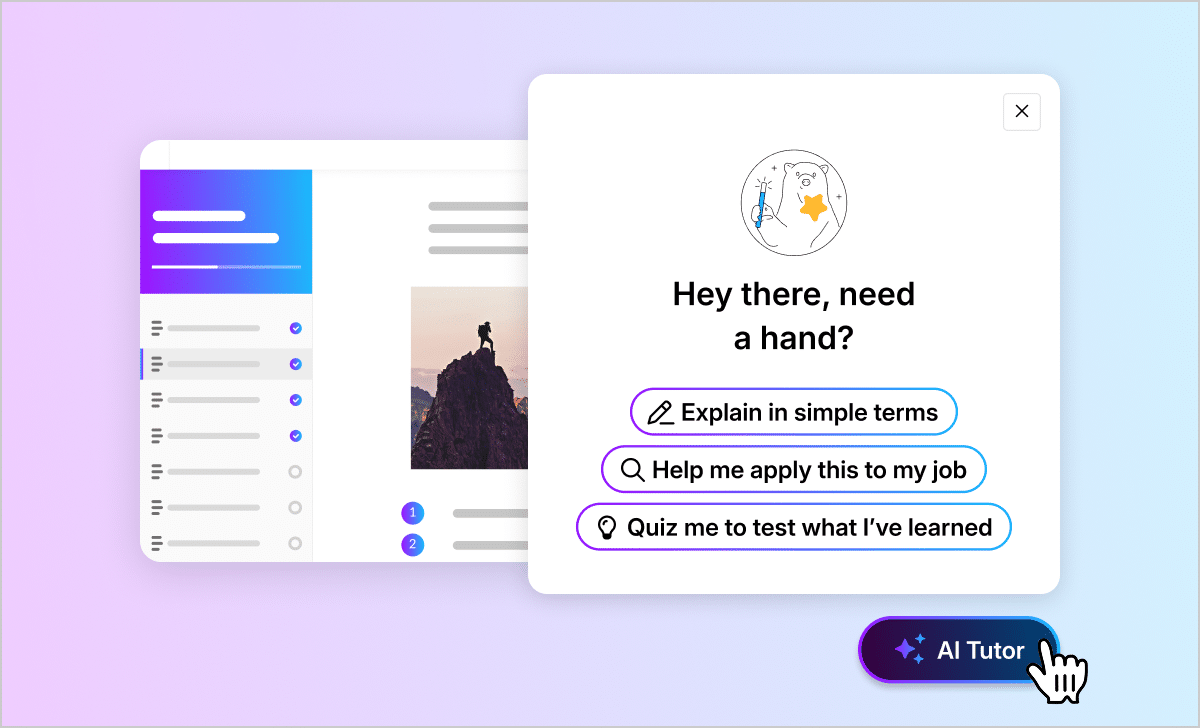
AI Tutor helps organizations deliver more personalized training by providing support when learners need it, while reducing the effort required to support learners with different experience levels.
Get the full scoop about AI Tutor here.
New Storyline features
If you can imagine it, you can build it with Storyline, Articulate’s most customizable course authoring tool. Create highly immersive, custom training experiences faster with AI-integrated workflows and advanced control over animations, interactions, and design.
Build interactive training faster
Storyline gives instructional designers the flexibility to create highly interactive workplace training. This quarter’s update helps you create polished visuals while keeping your creative workflow moving. Read on for what’s new in Storyline.
Edit AI-generated images directly in Storyline
AI-generated images often need a few refinements before they’re ready for a course.
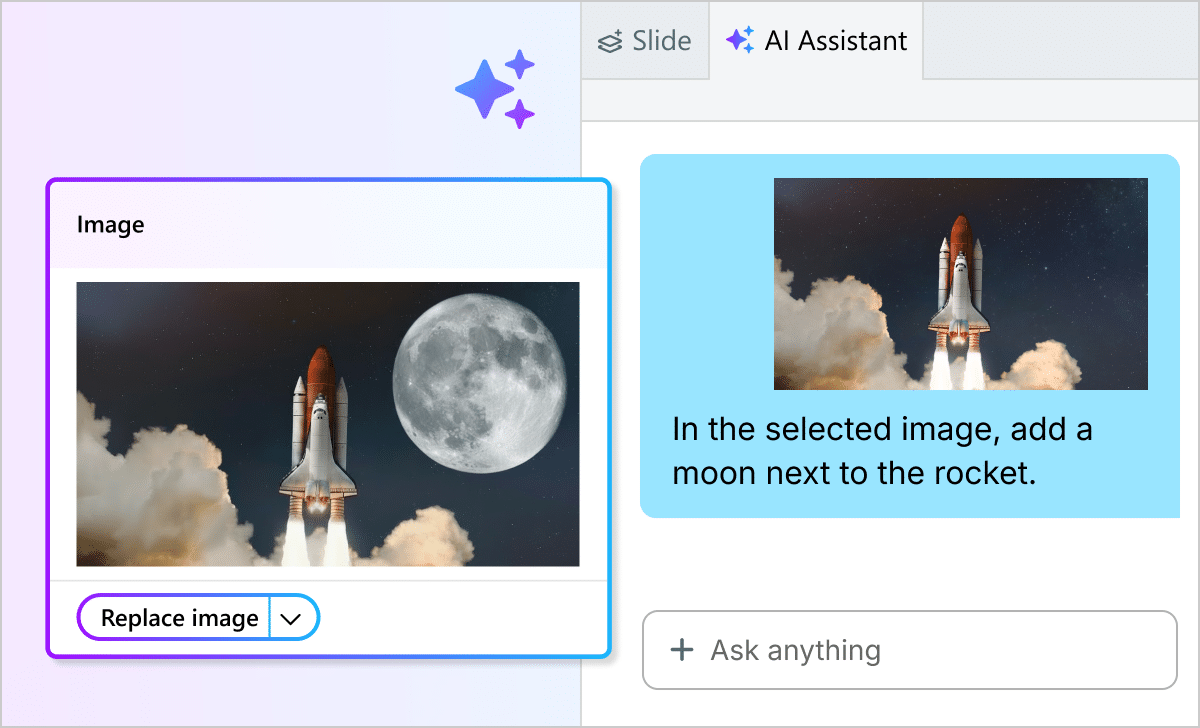
Now you can edit AI-generated images directly in Storyline’s AI Chat experience, so it’s easy to adjust prompts, regenerate elements, and create visuals that better match your training content—all without leaving Storyline.
Check out this article for a closer look.
New Localization features
Deliver multilingual courses with less manual work
Articulate Localization simplifies translating courses into multiple languages. This quarter’s update helps eliminate one of the most common localization challenges.
Quick Layout Adjustments
Translated text often becomes longer or shorter, and you’re left fixing layout issues from your original slide layouts. That manual process is too time-consuming. That’s why we released the Quick Layout Adjustments feature, which automatically detects common translation-related formatting problems—including text overflow and spacing issues. With a single click, apply fixes across your entire Storyline project rather than one at a time.
Get a closer look at the feature here.
Stay up to date with Articulate’s latest workplace training innovations
Whether you’re creating adaptive learning experiences, building AI-powered courses, or delivering training in multiple languages, our latest Q2 updates help your team create engaging workplace learning more efficiently.
Want a deeper look at what’s new and what’s next? Check out our Features Roadmap page.
Not using Articulate 360 yet? Try it for free and experience a faster, smarter way to create impactful workplace training.
You may also like

5 Ways Frontline Helps Teams Train at the Pace of Change
Discover how teams use Articulate’s tool Frontline to create AI-guided training that’s fast, effective, trackable, and stays current.

7 Engaging Strategies to Boost Compliance Training Participation
Learn about the benefits of an effective compliance program, engaging training strategies to boost completion rates, and best practices to ensure retention.

How to Create Customer Loyalty: 4 Effective Training Strategies
Cultivate better customer training experiences to boost customer loyalty through interactive, personalized, accessible, and community-based learning strategies.