
Share training instantly—no LMS required
Quick Share in Articulate 360 lets teams publish, share, and track everyday learning content in seconds, all from one simple link.
Why you’ll love Quick Share in Articulate 360

Faster publishing
Share Rise courses instantly with a single, trackable link—no logins, no setup, no delays.

Always current
Keep your training up to date automatically. Edits made in Rise appear instantly in the shared version.

Built-in visibility
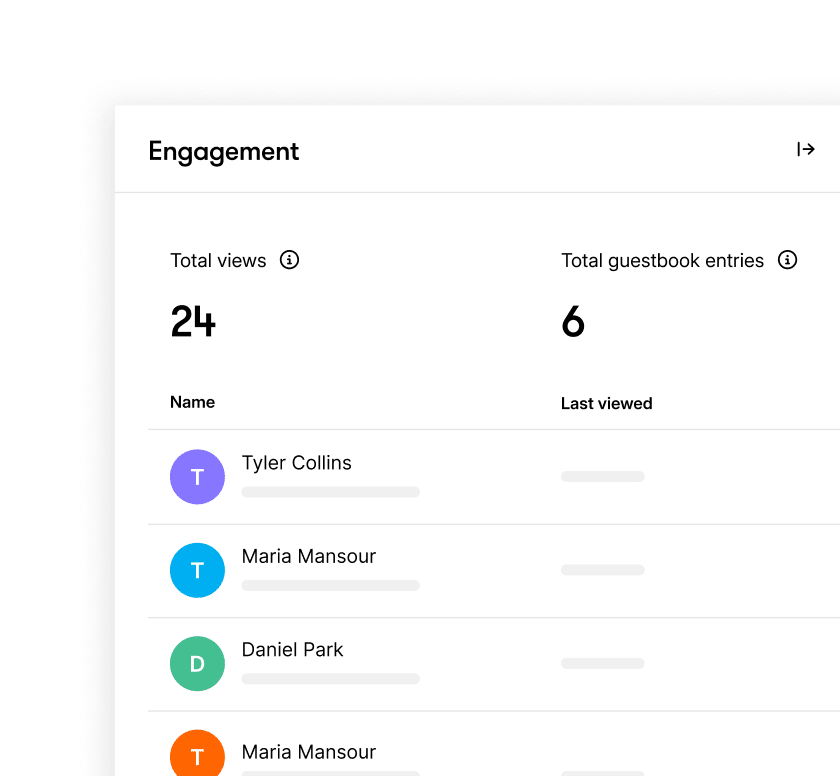
View engagement data like course views and guestbook entries directly within Articulate 360 to see what’s resonating.
Publish with one click
Publish content instantly from Articulate 360. Save time and skip LMS uploads, exports, and admin tasks.
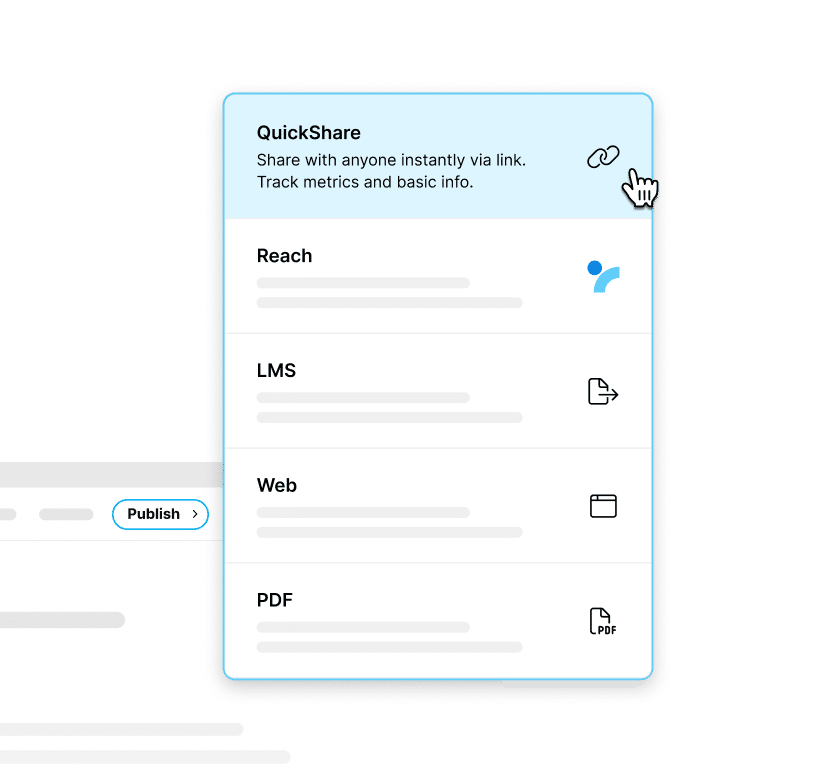
Share links instantly
Generate a shareable link learners can access anytime, anywhere, from any device without needing an account or password.
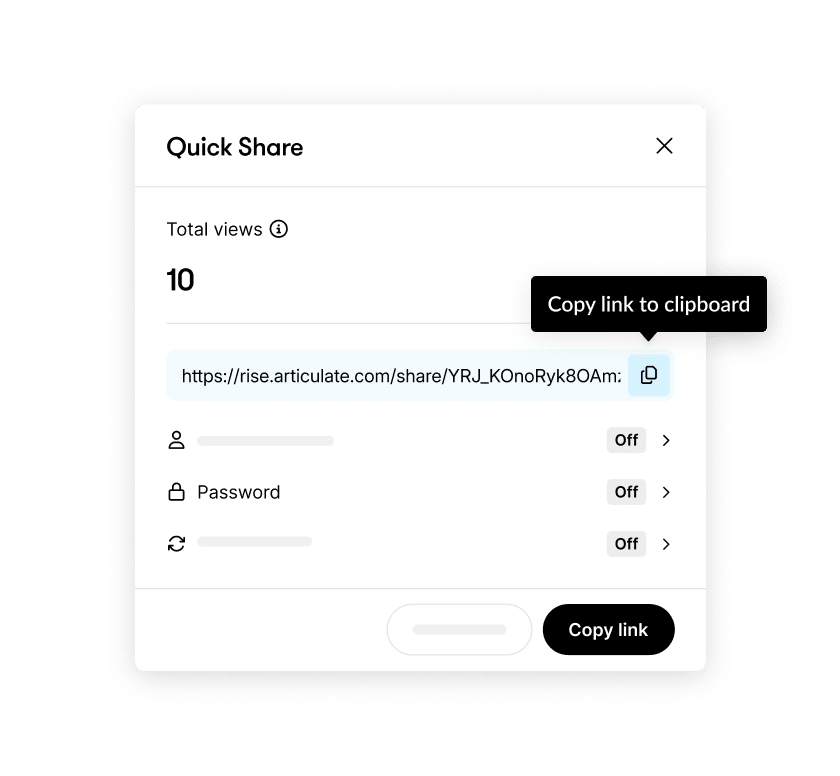
Track engagement effortlessly
Track engagement metrics like views to understand how learners are interacting with your content.
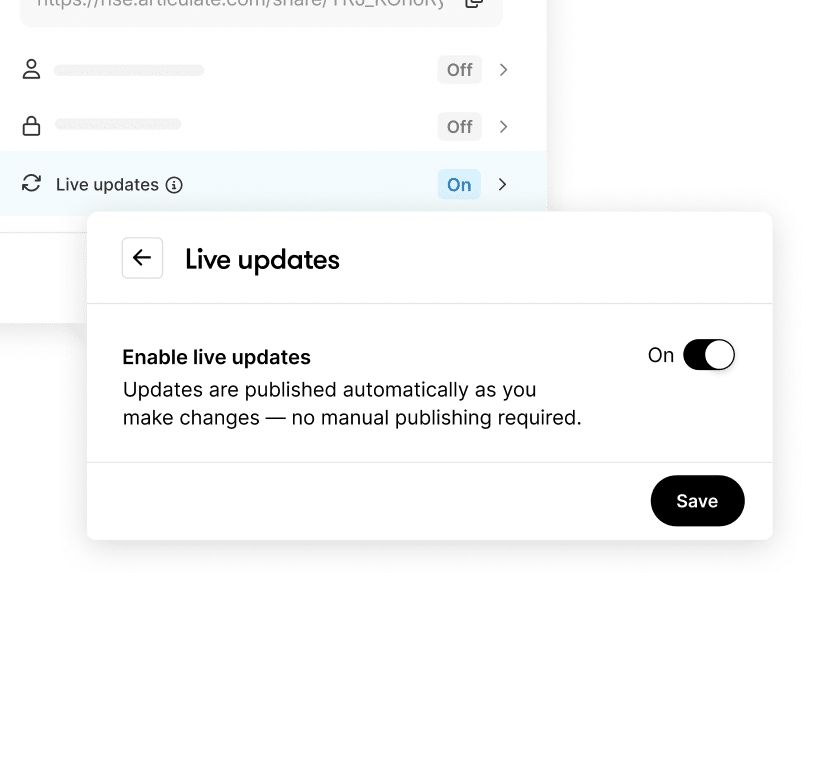
Update content automatically
Keep training accurate and consistent. Updates made in Articulate 360 automatically appear in the live Quick Share version.
See Quick Share in action

Watch a tutorial video
Learn how to publish and share Rise courses instantly with Quick Share in this step-by-step tutorial.

An introduction to Quick Share
Join the discussion to see how e-learning professionals are using Quick Share.

Deploy content rapidly with Quick Share
Learn how to publish courses access engagement metrics, and find answers to common questions in this comprehensive user guide.
FAQs
Quick Share is a built-in feature in Articulate 360 that lets teams publish and share Rise courses instantly using a single link with light analytics for engagement tracking. It simplifies e-learning course distribution without requiring an LMS.
Quick Share focuses on speed and simplicity. It’s perfect for everyday learning content distribution that doesn’t require detailed learner-level tracking or complex workflows.
Yes. Quick Share provides built-in analytics showing course views and guestbook entries, giving you a clear picture of content performance.
No. Quick Share complements formal LMS content distribution tools. Use it for fast, informal learning; use Reach or an LMS for structured programs that require learner-level reporting.
Yes. Quick Share is included in every Articulate 360 subscription—no setup, add-ons, or extra costs.
Share faster, track smarter
Publish, share, and measure learning instantly with Quick Share in Articulate 360. Skip the LMS setup and keep your content moving.