
Stay organized and in control as your content grows
Keep every e-learning course file organized, secure, and easy to manage. With built-in tools for team folders, permissions, and review tracking, it’s simple to collaborate at scale without losing control.
Why teams love content management in Articulate 360
Keep things organized
Use shared team folders to keep every course and asset in the right place.
Maintain security
Control who can view, comment, or manage reviews with flexible permissions.

Track progress easily
Monitor every review with a centralized dashboard that keeps your team aligned.
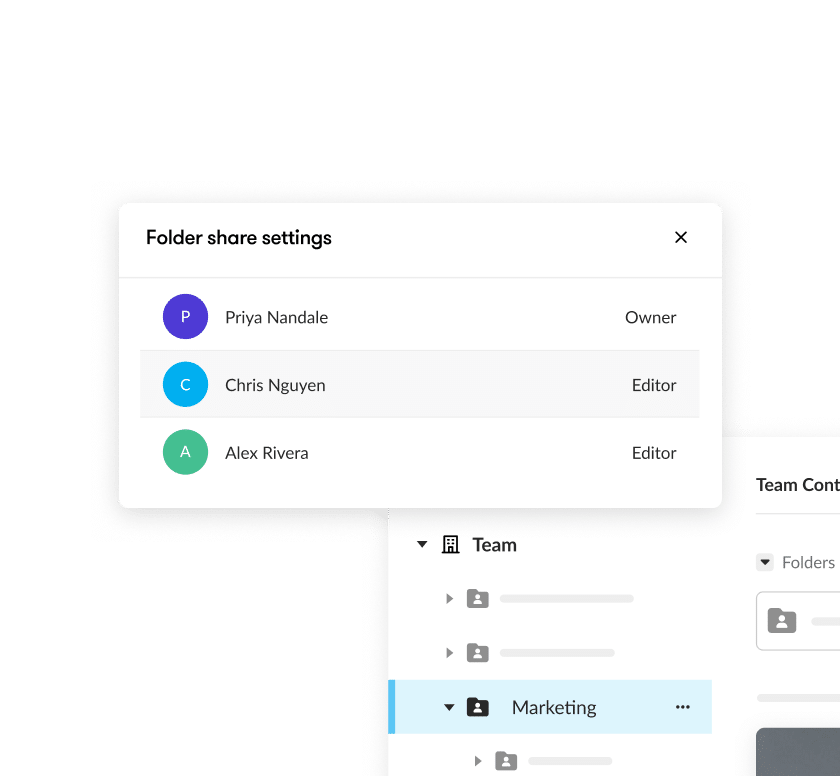
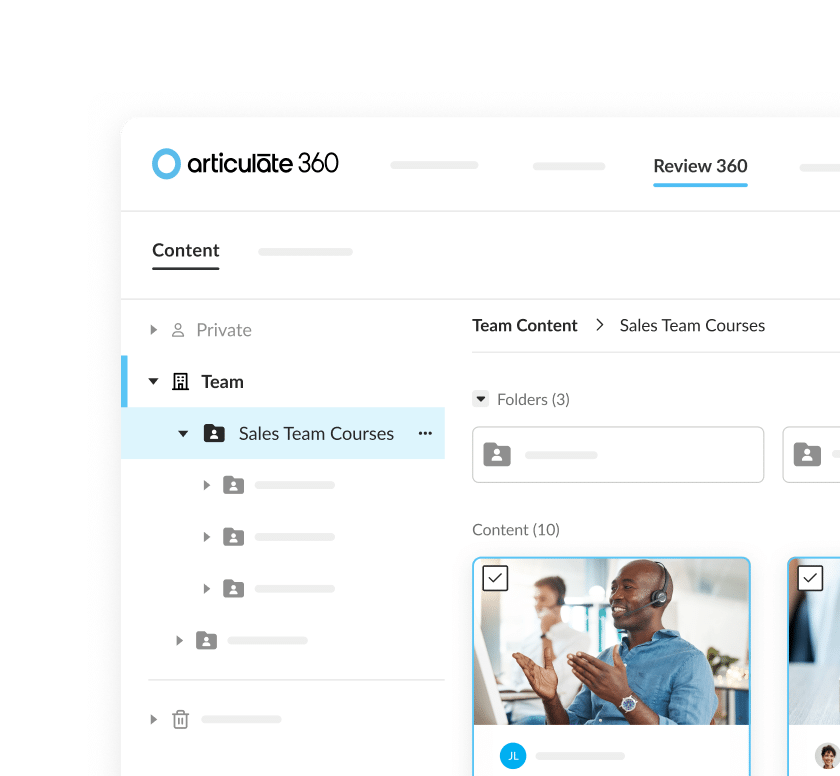
Organize content with team folders
Group e-learning course files by project, department, or audience. Assign permissions, manage ownership, and keep everything neatly structured so your team can find what they need instantly.
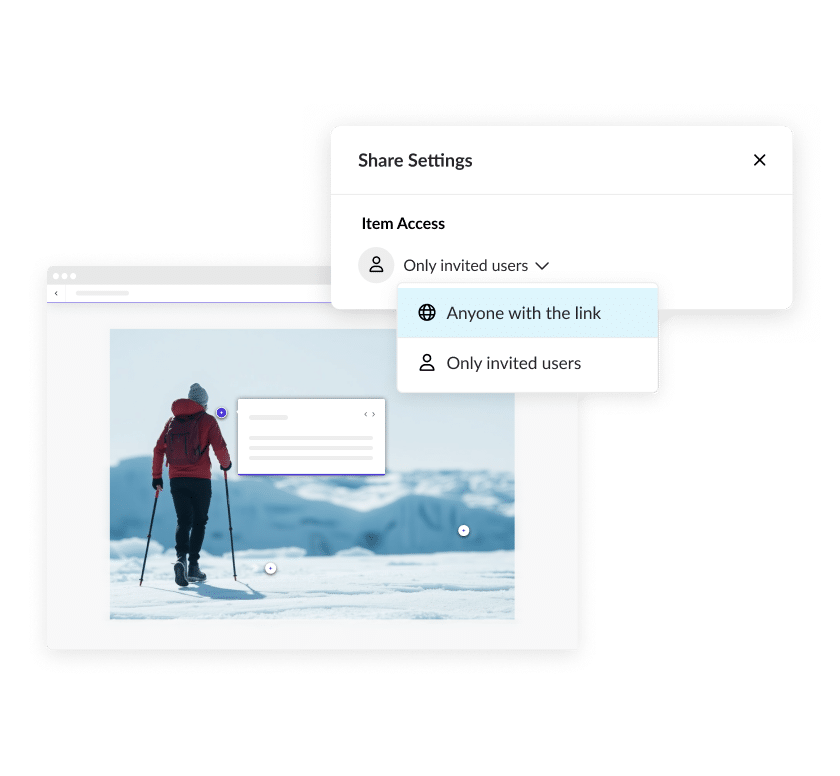
Control access with review-link permissions
Share courses confidently. Decide exactly who can view or comment on a review item to keep collaboration focused and secure.
Monitor progress with the enhanced review dashboard
Get a single view of all your team’s active reviews. Search, filter, and monitor progress to stay aligned and keep projects moving forward.
See content management in action

Team folders in Rise
Learn how to use the team folders feature to organize courses and collaborate seamlessly across authors and reviewers.
Organize items on your Review dashboard
See how to manage review links, filter projects, and keep every piece of feedback in one place.
Manage team folders and permissions
Explore how to control access, manage visibility, and maintain version control as your team and content library grow.
FAQs
Yes. Team folders let you assign permissions so only selected teammates can access, edit, or manage content within a folder.
You decide who can view or comment on a review item by adjusting share-link settings. It’s an easy way to protect sensitive work and keep reviews on track.
The dashboard gives you one view of all your team’s review items. Filter, sort, and search to track status, spot bottlenecks, and manage reviews efficiently.
Keep projects organized from start to finish
Simplify collaboration, maintain control, and move projects forward faster with Articulate 360’s built-in content management features.