 I've been at this e-learning game for close to 30 years. While the technology has changed over the years, I still see a lot of the same problems e-learning (and training for that matter) had 30 years ago.
The main problem is that pushing content passes for training. Thus a lot of what we call e-learning courses are mostly content dumps. Because the technology has made it easier to build "courses" the content looks better than it did 30 years ago; but courses like that are both ineffective training ...
I've been at this e-learning game for close to 30 years. While the technology has changed over the years, I still see a lot of the same problems e-learning (and training for that matter) had 30 years ago.
The main problem is that pushing content passes for training. Thus a lot of what we call e-learning courses are mostly content dumps. Because the technology has made it easier to build "courses" the content looks better than it did 30 years ago; but courses like that are both ineffective training ...
Read the full article
 I am a simple person and usually try to explain things in three steps. They're easy to remember and share. Here is a round up of all previous posts that share three steps to do something to improve your course design and development.
General E-Learning Course Design Tips
I am a simple person and usually try to explain things in three steps. They're easy to remember and share. Here is a round up of all previous posts that share three steps to do something to improve your course design and development.
General E-Learning Course Design Tips
...
Read the full article
 As a general rule, it's good practice to edit files on your local drive and not a network drive (or online storage like Google Drive or Dropbox). For example, when I work with a .story file that's on Dropbox, I'll sometimes get some sort of syncing error or a series of duplicated or conflicted files. This makes sense because the drive is constantly monitoring changes in the file and updating the file. One tip for Dropbox is to pause syncing if you're working from a Dropbox ...
Read the full article
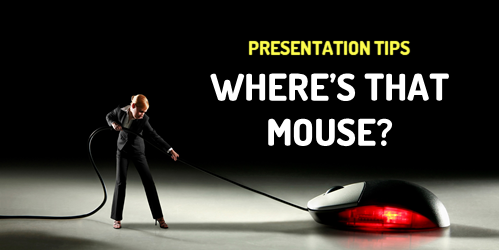 I do a lot of presentations live and online. I also record a ton of tutorials. During those presentations I'm usually showing how to do something and attendees need to see the mouse movement and where it's at. Here are a few simple tips to highlight your mouse when presenting or recording your tutorial.
Here's a video tutorial that walks through the tips below if you want more detail.
https://youtu.be/y_pZEX2c7tA
Click here to view the tutorial on YouTube.
Make the Mouse Pointer Extra ...
I do a lot of presentations live and online. I also record a ton of tutorials. During those presentations I'm usually showing how to do something and attendees need to see the mouse movement and where it's at. Here are a few simple tips to highlight your mouse when presenting or recording your tutorial.
Here's a video tutorial that walks through the tips below if you want more detail.
https://youtu.be/y_pZEX2c7tA
Click here to view the tutorial on YouTube.
Make the Mouse Pointer Extra ...
Read the full article
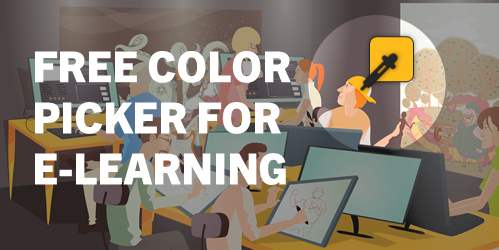 I've written about the Microsoft PowerToys in the past. They come with some handy applications. There's an application that allows you to preview .SVG files. This is more important today than it was even a year ago as more and more courses are using .SVG. There's also a feature to rename your files. This comes in handy if you want to convert a folder of images to match a project's title.
I was looking at the updated PowerToys and thought I'd highlight the new color picker ...
I've written about the Microsoft PowerToys in the past. They come with some handy applications. There's an application that allows you to preview .SVG files. This is more important today than it was even a year ago as more and more courses are using .SVG. There's also a feature to rename your files. This comes in handy if you want to convert a folder of images to match a project's title.
I was looking at the updated PowerToys and thought I'd highlight the new color picker ...
Read the full article
 Visually branding your e-learning courses is a common requirement. A great way to figure out how to brand the course is by mimicking what's available publicly from the organization's website (and intranet).
These sites tend to have all sorts of media assets that are already vetted to fit the organization's brand and often work well for e-learning content. The challenge is how to get access to those assets.
Connect with the Marketing Team
Before you spend time scraping your sites for images, connect with the marketing (or web) team. In the ...
Visually branding your e-learning courses is a common requirement. A great way to figure out how to brand the course is by mimicking what's available publicly from the organization's website (and intranet).
These sites tend to have all sorts of media assets that are already vetted to fit the organization's brand and often work well for e-learning content. The challenge is how to get access to those assets.
Connect with the Marketing Team
Before you spend time scraping your sites for images, connect with the marketing (or web) team. In the ...
Read the full article
 I'm not sure what the number is, but my guess is that compliance/regulatory training makes up a large majority of the e-learning that gets created.
Most compliance training isn't training to change performance. The focus is awareness and certifying that the learner understands and accepts those expectations. Or perhaps it's some sort of annual refresher.
I used to work with a community healthcare group and the nursing staff did a week of annual training. They already knew the content. However, they had to review the content each year and be ...
I'm not sure what the number is, but my guess is that compliance/regulatory training makes up a large majority of the e-learning that gets created.
Most compliance training isn't training to change performance. The focus is awareness and certifying that the learner understands and accepts those expectations. Or perhaps it's some sort of annual refresher.
I used to work with a community healthcare group and the nursing staff did a week of annual training. They already knew the content. However, they had to review the content each year and be ...
Read the full article
 If you're not using Rise.com or a learning management system to manage your e-learning courses, then you'll need another way to upload courses to a web server to share. This is especially true if you're maintaining a professional portfolio in one of those simple website builders like Wix where you can't upload your published course files.
In an earlier post we looked at using Amazon S3 to share courses and today we'll look at using Google Cloud.
If you're not using Rise.com or a learning management system to manage your e-learning courses, then you'll need another way to upload courses to a web server to share. This is especially true if you're maintaining a professional portfolio in one of those simple website builders like Wix where you can't upload your published course files.
In an earlier post we looked at using Amazon S3 to share courses and today we'll look at using Google Cloud.
...
Read the full article
 Ideally you have an LMS or using a product like Rise.com to share your e-learning courses. However, there are many times you don't need a formal management system. For example, you may maintain a professional portfolio where you share courses and work samples.
Amazon S3 is an easy way to do this. And it's relatively simple : create the account, upload your files, create a URL, and let people access the content. The cost is nominal. Odds are you won't pay anything and if you do, ...
Ideally you have an LMS or using a product like Rise.com to share your e-learning courses. However, there are many times you don't need a formal management system. For example, you may maintain a professional portfolio where you share courses and work samples.
Amazon S3 is an easy way to do this. And it's relatively simple : create the account, upload your files, create a URL, and let people access the content. The cost is nominal. Odds are you won't pay anything and if you do, ...
Read the full article
 The death of Flash has created a mess for many e-learning developers who have to look for things in older e-learning courses that were published in Flash.
I run into that a lot in the community and with some of my old demos on this blog. It sure is a pain. Not being able to see the file makes it a challenge to recall what was in it or to even know what to look for to update it and republish.
The good news is that I found ...
The death of Flash has created a mess for many e-learning developers who have to look for things in older e-learning courses that were published in Flash.
I run into that a lot in the community and with some of my old demos on this blog. It sure is a pain. Not being able to see the file makes it a challenge to recall what was in it or to even know what to look for to update it and republish.
The good news is that I found ...
Read the full article
 Let’s be honest, a lot of training is useless. That's because there’s a lot of demand to put content online and force feed it to the learners and call it training. Most of that demand comes from various regulatory or compliance requirements so that type of training will always exist.
Most learners take those courses begrudgingly and hope to get in and out and certified as fast as possible.
The training that isn’t useless is performance-based training that helps people do something new or better. Because there are performance expectations ...
Let’s be honest, a lot of training is useless. That's because there’s a lot of demand to put content online and force feed it to the learners and call it training. Most of that demand comes from various regulatory or compliance requirements so that type of training will always exist.
Most learners take those courses begrudgingly and hope to get in and out and certified as fast as possible.
The training that isn’t useless is performance-based training that helps people do something new or better. Because there are performance expectations ...
Read the full article
 Are you tired of building the same courses over and over again? Sure, you may get to build a hundred courses, but they’re the same course built a hundred times. The result is that many of the courses look the same and they don’t provide the opportunity to expand your course design skills.
Today I’d like to offer a few tips on how you can get out of the hundred course rut.
Build Better E-Learning by Making Time to Do Something Different
Many organizations allow ...
Are you tired of building the same courses over and over again? Sure, you may get to build a hundred courses, but they’re the same course built a hundred times. The result is that many of the courses look the same and they don’t provide the opportunity to expand your course design skills.
Today I’d like to offer a few tips on how you can get out of the hundred course rut.
Build Better E-Learning by Making Time to Do Something Different
Many organizations allow ...
Read the full article




0
comments