The Rapid Elearning Blog

I’ve gotten a lot of emails asking for a quick way to build puzzle animations.  Usually the requests are to build them with no additional software or advanced graphics skills.  They also added the words famous to all of us in the rapid elearning world…no time and no budget.

Building a puzzle animation is simple and only takes a few minutes.  I built a quick demo of how this could be done just using PowerPoint.  Click on the link to see the published version and then learn how I did it by reading the rest of the post. 

The Rapid E-Learning Blog: puzzle demo

Click here to view the puzzle demo.

Build a Puzzle

When building animations, the key is to trick the mind into thinking that what it sees is what it sees.  In this case, we want it to look like puzzle pieces are added to the screen to build an image. 

Instead of building individual pieces and adding them to the screen, what we really do is hide the complete image underneath the entire puzzle.  As we remove the puzzle pieces, part of the image is revealed.  This creates the illusion that we’re building a puzzle, piece by piece. 

To create this effect, you’ll need a clip art image of a puzzle that can be ungrouped and modified in PowerPoint.  A quick search of PowerPoint’s clip art will give you one. 

  • Ungroup the puzzle clip art and change the fill color to match the background color of the slide.
  • Place the image that you want to reveal underneath the puzzle image.
  • Duplicate the slide and then remove a puzzle piece from the clip art.
  • Continue to do this until the entire image is revealed.

Here’s a tutorial to show you how I built it. 

The Rapid E-Learning Blog: puzzle animation tutorial

Click here to view the puzzle tutorial (9 min).

That’s it.  Pretty simple, huh?  In essence you’re just creating a hole that peeks into the layer beneath.  So you’re really not limited to just the puzzle shapes.  You can use it to create the illusion of images that are cut or sized to the screen area.  So instead of actually editing the image, you just modify the “hole” that you place on top of it.

This is a quick and simple way to create a puzzle without having to do a lot of editing of your graphics.  If you have some tips or tricks, feel free to share them in the comments section.  Also, if you have some questions about other tips and tricks like this, feel free to send them my way.  I’ll see about doing some simple tutorials.


A while back my wife’s computer crashed.  So I did a search online, found the information I needed, and then learned to do the repair.  While I was going through the pages of content, at no time did I complain about the lack of interactivity or the fact that the content wasn’t media-rich.  In fact, the only thing that concerned me was finding the right information to solve the problem.

I found the information I needed and applied it to my problem.  Because of this, I learned to solve the problem and build on my existing knowledge of how to fix laptops.  This seems to come in a lot handier now that I have a Vista-based PC. :)

One of the dilemmas we face when we create elearning courses is that those taking the course aren’t always compelled by an immediate need to learn like I was with my wife’s laptop.  They’re usually taking the course because it’s compulsory–either their employer requires it, they need some sort of certification, or it’s part of an educational program. 

This doesn’t mean the course is useless or irrelevant.  It just means that the reason for taking it might not be to meet an immediate learning need.  And because of that, it becomes more challenging to help people learn from the information the course presents. 

This is when a scenario or problem-based course comes in handy.  By presenting the right type of situation, you can get the learner to think and make decisions which helps them process the course content and make it part of their knowledge. 

A traditional course would be like the computer manufacturer giving me a handbook with all of the information on how to repair a computer.  A scenario-based course would be like a real situation where I actually need to make the choices that are part of repairing a computer.  Both approaches give me the course content.  But instead of just reviewing it, I’m presented with a problem and then use the information to solve it.  But, I think you’d agree that actually solving the problem becomes a better learning experience than just seeing the information.

 The Rapid E-Learning Blog: Two ways to share course content

When you build your next course, instead of just presenting information, figure out how the learner will use it and then build scenarios around it.  Here are three questions I ask to help me think through, and then build, my scenarios.

What situations require the learner to know this information?

Step away from just giving them information and build a scenario.  There’s a reason that the course content is important to the learner.  Creates a circumstance where the learner gets to use the knowledge that you hope the course creates.  The benefit to this is that for an experienced learner, you’re going to help them confirm what they already know.  And for a novice learner, you’ll be able to help them learn.

The Rapid E-Learning Blog: Provide decisions that force understanding

I once had to build a course on environmental training for the managers of production facilities.  The client opted to do a series of information-based modules.  While the modules satisfied the need to get the information out to the managers, they did little to help the learner integrate the information in their daily practice. 

To remedy this, instead of information modules, we could have presented a scenario where a government inspector comes to the site and issues a $1 million fine because of the high level of emissions.  The manager has to create a report for the CEO that details why his site was fined $1 million and then what actions he needs to take to ensure compliance with the laws and reduce emissions. 

What choices could they be expected to make in that circumstance?

Once you’ve determined your circumstance, you need to figure out what types of choices a person would make.  This is where the subject matter expert can lend a hand.  They could share different experiences and possible outcomes.

You want to make the choices real and not so obvious.  The last thing you want to do is offer one solid choice and two choices that are easy to weed out.  Life isn’t like that.  Instead it’s usually a matter of making some decisions and then dealing with issues that come from those decisions.

The Rapid E-Learning Blog: Create decisions that force understanding or the need to gain it.

Keep in mind that you don’t have to always have a right and wrong choice.  You can throw in choices that are somewhat right and somewhat wrong and force the learner to pick from the best of the choices.  You’ll be able to address the nuances in the feedback.  Also, by not always having the right choices, you’ll be able to create other situations that spin off of the bad part of the choice.

For example, in the environmental training, these could be the choices:

  • Contact the CEO immediately to notify her of the fine.
  • Research the issue, and then contact your regional manager to discuss the next steps.
  • Take corrective action so that the problem is fixed and then create a report for the CEO.

They’re all viable options and none of the choices seem obviously right or wrong.  This makes you stop and think through the potential outcomes.  And that’s what you want to have happen.

What are the consequences of those choices?

Each choice produces a consequence that generates feedback.  This is where you can introduce some of the specific course content that they’d normally just get in the “click and read” course.

You could make very direct statements such as, “That’s not a good choice because the current law requires….”  This allows you to share some of the course content.  Then a follow up step could be to meet with the manager or some other situation that allows you share even more info. 

Or you can make it flow more like real life.  Instead of stating that “this choice is right or wrong” you just have a follow up situation that produces some more choices.

Let’s look at the environmental training again. 

  • If you contact the CEO, this could delay getting the issue fixed while her team reviews options.  In the mean time, the inspector comes back to check up on your site. 
  • By researching the problem, you’re able to find out what needs to happen and can discuss with your manager.  In the mean time the local news has broken the story and your company stock is down.  You’re CEO isn’t happy.
  • Fixing the problem is good.  However, your manager and CEO are upset that they didn’t hear about the problem first.

This type of tension is what produces the learning.  As I think through these options, my first thought is to know exactly what the company expects me to do. 

You want a healthy level of uncertainty, but not make it seem so difficult that you’re not motivated to learn how to overcome it.  Uncertainty feeds into the learner’s curiosity.  I addressed some of this in an earlier post about leveraging tension and curiosity in your elearning courses.

The Rapid E-Learning Blog: Create a process to get the information needed to solve the problem.

Whenever you attempt a scenario-driven approach, the immediate concern from your client or subject matter expert will be about how they can ensure that the information they want to share makes its way into the course.  Here are a few ways to do this:

  • Share some information as you set the stage for the decision-making.  A question could be stated like this:  “In 1979, the EPA passed this law, which states….”  That gives the learner some information and then sets the stage for the scenario. 
  • Provide information as part of the feedback.  You could be very direct with the feedback: “That is not correct.  The current law states that….”  Or, you could have the learner do some research and then answer a follow up scenario or question.  “Go to the company web site and look at the current requirements.”
  • Create some help lines.  For example, you could just add links to additional information.  If you use Engage, you could build an FAQ or similar type of interaction as a drop down tab.  Here’s an example of how that could work. 
  • Create help assistants.  This is similar to the first approach.  Only in this case, instead of an impersonal help resource, create a virtual character than can provide the information.  For example, the glossary interaction that you see in the example I provided could just as easily be a link to Susan, the Human Resources Manager.  If you add an image or video and some audio, it makes the help seem much more personal.
  • Create a virtual guide.  The guide takes you through the course with the understanding that at any time you need additional information, you click on the guide for tips and clues.

Information by itself is meaningless.  It only holds value if the learner knows what to do with it.  You want to know how the learner will use the information and then build your scenarios around that.

These three questions provide a simple structure for scenarios.  They help you convert information that might normally be presented in a standard linear format and put it in a context that is more like the learner’s real world.  The more you can make the decisions relevant to the learner’s world, the more likely they’ll be engaged with the course and actually meet your learning objectives.

What are some techniques you use to convert your course content to relevant learning scenarios?  Please share them in the comments section.


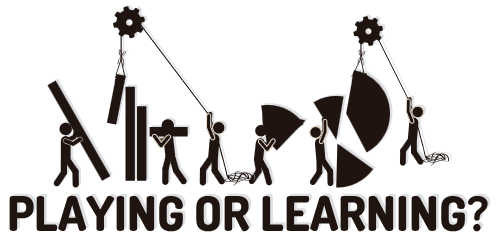
Think of learning and instructional design from the perspective of playing the “I Spy” game.   You say, “I spy with my little eye…a red box.”  And then you wait forever while the other game players look for the red box.  Maybe they find it; maybe they don’t.  In either case, you’re at the whim of the ones looking for the box because you don’t control how they go about looking for it and whether or not they even find it.

Instructional design is like starting with, “I spy a red box over there in the corner under the picture of the sailboat.”  With this type of guidance, you’ve gotten the person to look in just the right spot.  It doesn’t make playing “I Spy” fun, but it makes teaching a lot easier because you’re less dependent on them learning through a more informal process (which has its own benefits but can be more time-consuming).

Ultimately, how you structure and present your content impacts how people learn and gain their understanding.  There are a number of approaches that you can take when presenting your course content. For this post, I explain three simple techniques and follow it up with a quick demo.

Show them the big picture and let them see everything in context.

You can present all of the information at one time.  This can help the learners see the overall context and make connections.  It also gives the learners the freedom to explore the screen content and puts them in a position of discovery.

One of the challenges can be that the learner might “see” the information, but might not really be making the right connections.  In essence, it’s like saying, ‘I spy something important.”  And then hoping that the learner knows what it is.

One way to address this is to guide them to look for specific information on the screen.  For example, instead of telling them the information, ask questions that provoke thinking.

What benefits do you see in this approach?

The Rapid E-Learning Blog: Present all screen content at once.

Point out those parts of the screen that are important.

This builds off of the first technique.  You still give the learners all of the information up front.  However, by pointing things out on the screen, you’re able to draw their attention to those things that are more important than others.

It’s the difference between, “I spy some important information,” and “This information is important.”  By directing their attention, you can give them the big picture and still focus on things more specific.  This can be done with simple annotations or animations.

The Rapid E-Learning Blog: Use animations and annotations to present content.

Only show them the information as you get to it.

Don’t distract your learners with information they don’t need.  Instead, use progressive builds to reveal the information on the screen.  Basically, you’re breaking the information into manageable chunks and then giving it to the learners a little at a time.This can be an effective technique if you’re trying to teach something new or complex. 

Going back to the “I Spy” game, it’s like saying, “I spy a red box, but it’s in the top left corner of the screen.”  That immediately tells people where to look and they aren’t distracted by things outside that area.

The drawback to this technique is that it can be slow for those who are quick learners or already understand the content.  Thus, they have to wait for you to get to a place where they actually learn something new.

The Rapid E-Learning Blog: Present screen content through progressive revelation.

Consider how the user navigates the course.  If I add animations on the screen, I like to free up the navigation so that the learners can go back and forth.  This gives them the power to review the information.  Sometimes the narration can be too slow, or we set automatic animations timed at what we think is an “average” reading speed.  We do this to accommodate the “average” learner, but from my experience, it really accommodates no one.  In fact, you’ll get complaints of “too fast” or “too slow” anyway.  Why not just give the learners the ability to navigate at their pace?

scrub_bar

One of my favorite player features is the scrub bar.  Not all course players have them.  However, when it’s available, I like to drag it back and forth to review the animations or parts of the screen without having to go through the entire screen from the beginning.  One of my biggest pet peeves is a screen with 5 minutes of information and no way to jump to the middle if I want to refer back to some information on that screen.  The scrub bar lets me quickly jump to a specific point of information.

Watch the demo.

I put together a quick tutorial to show you how the simple techniques work.  Click the link below to watch it.

 The Rapid E-Learning Blog: Presentation Techniques Tutorial

Click here to view the demo.

These three techniques are generally neutral with no one being better or worse than the others.  How you use them just depends on your subject matter and the learner’s expertise.  You also need to consider your learning objectives and how you’ll help the learner meet them.

What simple techniques would you use to present information to your learners?  Leave an answer in the comments section.


google

As I was surfing the web, I came across Nicholas Carr’s recent article in which he asks if “Google is making us stupid.”  It’s an interesting read.  He discusses the impact that the Internet has on our reading habits and ultimately on the development of who we are and our ability to think.

I’m not thinking the way I used to think. I can feel it most strongly when I’m reading. Immersing myself in a book or a lengthy article used to be easy. My mind would get caught up in the narrative or the turns of the argument, and I’d spend hours strolling through long stretches of prose.  That’s rarely the case anymore.


Now my concentration often starts to drift after two or three pages. I get fidgety, lose the thread, [and] begin looking for something else to do. I feel as if I’m always dragging my wayward brain back to the text. The deep reading that used to come naturally has become a struggle.

I could have written those words!  I’ve also developed this habit of quickly scanning for key points and moving on.  In fact, just this week my wife got a book on parenting and asked if we could read it together.  The Olympics were on and I’m not a big fan of men’s synchronized diving, so I picked up the book and spent about 15 minutes skimming through it.  That was enough for me.  I got the key points and now I’m ready to go discipline my kids in a new way.  In fact, one of their punishments will be to watch men’s synchronized diving.

So what does this have to do with elearning?

It is clear that users are not reading online in the traditional sense; indeed there are signs that new forms of “reading” are emerging as users “power browse…”

Carr’s article raises some issues that could impact how we design our elearning courses.  Our learners are being conditioned to process online content a certain way.  It impacts how they see, retrieve, and process information. If these reports are correct, and we’re developing a new way of reading (or retrieving information), then this needs to be a consideration as we design our elearning courses. 

Here are some points I jotted down as I read the article.  Actually, I had to read it a number of times because I kept skimming through it. :)

Accommodate the “power browsing.”

Instructional designers need to consider web surfing habits.  Whether it’s right or wrong, people who are online have been developing habits that they bring to the elearning course.  Design courses to accommodate these power browsing habits.  If you don’t, chances are you’ll lose a connection with the learner which will make the course ineffectual.

Steven Krug’s book,  Don’t Make Me Think: A Common Sense Approach to Web Usability, is an excellent starting point.  He has a lot of good before and after examples that are very relevant to how you’d design your online learning experience.  

Pull main ideas and critical points into focus.

When people are online, they tend to look at the screen and quickly scan for information.  They’re not changing that habit for your course.  Structure the information so that it is easy to recognize the critical pieces. 

I discussed this in a recent post on basic design.  There’s no need to bury important information and force the learner to find it.  Instead make sure the important parts are evident and then build follow up information around it.

The Rapid E-Learning Blog: before and after

Move from linear to exploratory.

Most elearning courses are focused on a linear presentation of information.  Real learning doesn’t happen when you give the learners information.  Instead it happens when they use it.  So your instructional design needs to become less about presenting information and more about getting the learners to use it. 

The Rapid E-Learning Blog: Move from linear information to exploratory.

Free up the way learners navigate the information.  Instead of linear presentation, give them a reason to need your course content, and then the freedom to find what they need.  Based on how you build your course, you’ll be able to assess their understanding and give them the feedback that is appropriate to their needs. 

You won’t have to fear that they miss something because you’re not controlling the navigation.  In fact, if you look at the image above, you’ll notice that all of the same information is available to the learner, it’s just not delivered the same way.  The instructional design is not in the information but how YOU design the course for the learners to use it.

Pull the learner into the real world.

The following statement reminded me of a lot of the issues we tend to have with our clients and subject matter experts.

The more pieces of information we can “access” and the faster we can extract their gist, the more productive we become as thinkers.

Too much focus is on the information and not enough on the use of it.  In fact, one of my pet peeves about elearning is that because we can efficiently give people information, we tend to abdicate our responsibility to coach them through using it.  For all of the elearning courses I had to take over the years, I can only recall a handful of follow up conversations with my manager about them.  It’s a lost opportunity to set expectations and build the social relationships that are so critical to our success.

When we read online we tend to become “mere decoders of information.” Our ability to interpret text, to make the rich mental connections that form when we read deeply and without distraction, remains largely disengaged.

It’s time to engage the learners and connect them to the real world.  There are a number of ways that you can blend the content from the online course with learning activities outside of it that are relevant and meaningful to the learning process.  Here are a few ideas:

  • Use case studies or problem-solving scenarios.  At a minimum, build them into your elearning course so that the learner knows how to apply the information to a real-world context.
  • Incorporate the course with real-world discussions.  Instead of solving the case study online, have the learners solve it and then discuss the solution with their peers or managers.  Of course, this depends on the type of course, but it can be very effective.  I used to use it in peer-coaching environments.
  • Create real-world activities.  I’ve built courses with activity journals.  The course would cover certain information and then the learner was required to locate that information at their site and document it.  For example, if part of the environmental policy was to locate and review the site’s emissions log, we had the learner actually do that and then report on the finding or use that information elsewhere in the course.

The main point is that just because you do a course online, doesn’t mean you can’t blend the course content with offline activities.

Leverage all forms of media.

Too many elearning courses are dependent on just the text or narration.  If you want your course to be effective, you have to make full use of your tools.  And this doesn’t mean you have to be an expert multimedia programmer or Hollywood producer. 

Combining easy-to-use digital technology with rapid elearning software gives you all sorts of capabilities.  You can incorporate graphics, video, audio, interactivity, and web-based technologies.  It really just depends on getting the most out of the tools. 

Here’s a list of previous posts that discuss ways you can get the most out of what you do:

There are those who cringe at some of this and equate it to the dumbing down of our courses or learners.  That’s not the case.  It’s just that we have to build elearning courses that connect with the way our learners receive and process information. 

For example, if they speak Spanish, we build Spanish courses.  Since our learners are developing a sort of techno-language, we need to build courses that the learners can translate and use.  I’m sure we’ll be reading more about this in the years to come.

I’m interested to hear what you think.  Add your thoughts by clicking on the comments link.


Tidbits:

I’ll be presenting at the Articulate Regional User Conference on September 22, 2008 in Philadelphia, PA. I’d love to meet you in person.

I hear seating is limited so click here to get the full scoop.


Those who design elearning courses are the bridge between the client who has specific expectations and the learner who has to take the course.  Ideally, the learner has expectations but sometimes they take the course because they have to and not because it’s what they want to do.

Building the bridge for performance-based courses is a little easier.  Because the client has performance expectations, you’re better able to build the learning environment around performance.  So they tend to be more relevant to the learners.  Ultimately, the learner knows that the measure of success isn’t in the course, but instead in improved performance.  So their motivation is a different.

It’s more challenging when you build information-based courses.  I’ve found that the client is almost exclusively focused on the information rather than the learning.  This is where the instructional design comes in.  How do you create a learning process when most of it is focused on information?

The good thing is that motivated learners require less effort on your part.  For example, I was doing a home improvement project and need to learn how to put up crown molding.  I did a search online and found the information I needed.  It was bland information with boring old text, no multimedia, and interactivity.  However, I didn’t mind, because I was motivated to learn.

So the key to success is to influence the learner’s motivation.  This works for performance or information-based courses.  To do this, put yourself in the learner’s perspective and answer these three questions.

The Rapid E-Learning Blog: Why am I taking this course?

It’s important to develop learning objectives and then build the course content around meeting those objectives.  This is good.  However, what that usually translates into is a bullet point list of “You will learn this…” type of objectives.

While showing a list of objectives to your learner isn’t bad, what you really want to do is convince the learner that this course is valuable and will make a difference in what they do or know.  When the learners understand that the course has value, their motivation increases.  And motivation translates to a better learning experience.

So when you craft objectives for the course, it’s less about presenting a list and more about getting the learner to perceive value and understand how the course helps them.  That’s why scenarios and case studies are so effective.  They show the learner the course information in a relevant context.  This helps them perceive its value.

The Rapid E-Learning Blog: What am I supposed to do with all of this information?

No one likes to waste time on irrelevant elearning courses.   When people commit their time to a course, they want to know why it’s important and then what they’re expected to do with this new information.

That’s why you build your information around what you expect the learner to do.  Even compliance training is built on a foundation of performance expectations.  You don’t prevent hearing loss because your employees know they need to wear ear plugs.  Instead, you prevent it because your employees are actually wearing the ear plugs.

The Rapid E-Learning Blog: How can I prove I know it?

Everything centers on what actions you expect.  When people know what the expectations are, they’re diligent to achieve them.  Let’s go back to the argument in a previous post about why people just click through the course.  The reason they click through is because they perceive that the content is not relevant.  In that case, the only performance expectation they have is to complete the course.  So they are diligent to demonstrate that they can complete the course.  In a sense, because we haven’t answered the first two questions, our course design incents them to click through to completion.  You can prevent this.

  • Make the course relevant to the learner.
  • Help the learner understand how they’ll use the information.
  • Create a way for the learner to prove they understand it.  The closer you can get to how they would apply the information in the real world, the better the learning experience. 

Quiz questions are fine, but the reality is that we rarely have to make multiple choice decisions outside of elearning courses and the occasional Cosmopolitan survey.  Ideally we design a way to measure the learners understanding that is more than selecting correct answers.

I read of a school that was teaching about nutrition.  They could have given a quiz to measure understanding.  Instead, they had the children design a week’s worth of menus for a summer camp.  The menus had to be healthy and they had to explain their choices.  As you can imagine, based on the menus designed, you’d get a better sense of the learner’s understanding than if you just had them select from a list of correct answers.

 The Rapid E-Learning Blog: pointing to three learner questions

I’ve been in this industry long enough to know when and why we make the courses we do.  The reality is that a lot of times the courses are pointless and don’t warrant a lot of extra effort.  In fact, you might actually save the organization money by making them as simple as possible and letting people get back to work.

I also know that it’s a lot easier to make courses centered on the information rather than the learner.  They require less effort and time.  And to get around learner dropout (which can be anywhere from 25% to 50%), we’ll do things like lock the navigation and make courses compulsory.

However, if you really want to bring value to your courses and make them meaningful to your learners, answer these three questions:

  • Why I am taking this course?
  • What am I supposed to do with all of this information?
  • How can I prove I know it?

How would you design your courses to answer these questions?  Share your ideas by clicking the comments link.


Tidbits:

I’ll be presenting at the Articulate Regional User Conference on September 22, 2008 in Philadelphia, PA. I’d love to meet you in person.

I hear seating is limited so click here to get the full scoop.


Close
Email It